
The State of Informatica PowerCenter in Enterprise IT
Informatica PowerCenter has been the backbone of enterprise ETL for over two decades. Across banking, insurance, healthcare, and government, thousands of organizations rely on PowerCenter to move, transform, and load data between systems. At its peak, PowerCenter became synonymous with enterprise data integration itself.
But the landscape has shifted. Cloud-native data platforms — Snowflake, Databricks, Google BigQuery, Amazon Redshift — have fundamentally changed how organizations think about data infrastructure. PowerCenter’s on-premises architecture, proprietary licensing model, and monolithic deployment pattern are increasingly at odds with the elastic, pay-per-use economics of modern cloud platforms.
The pressure to migrate is real. Organizations face several converging forces:
- License renewal costs: PowerCenter perpetual licenses and annual maintenance fees continue to climb, often exceeding the cost of cloud-native alternatives.
- Talent scarcity: The pool of experienced PowerCenter developers is shrinking as new engineers gravitate toward Python, SQL, and cloud-native tools.
- Infrastructure burden: Maintaining on-premises PowerCenter servers, domain configurations, and repository databases demands dedicated infrastructure teams.
- Cloud data gravity: As source and target systems move to the cloud, keeping ETL on-premises creates unnecessary network hops and latency.
Yet migrating away from PowerCenter is not a trivial undertaking. A typical enterprise has hundreds or even thousands of mappings, workflows, and session configurations — each encoding critical business logic that must be preserved with absolute fidelity.

Informatica to Apache PySpark migration — automated end-to-end by MigryX
The Complexity Behind PowerCenter Migrations
PowerCenter’s power lies in its rich transformation library and flexible workflow orchestration. That same richness makes migration challenging. Here are the key artifacts that must be addressed:
Mappings and Mapplets
Mappings are the core unit of work in PowerCenter. Each mapping defines a data flow from source to target, with transformations applied along the way. Mapplets are reusable transformation fragments that can be embedded in multiple mappings. A single enterprise repository might contain 2,000+ mappings with hundreds of shared mapplets.
Transformations
PowerCenter provides a rich set of transformations, each with its own configuration options, port definitions, and conditional logic. The most commonly used — and most complex to migrate — include:
- Expression: Inline calculations, string manipulation, date arithmetic, conditional logic (IIF, DECODE), and variable ports.
- Lookup: Dynamic and static lookups against relational tables, flat files, or cached datasets with configurable cache sizes and connection assignments.
- Joiner: Full outer, inner, left outer, and right outer joins with configurable join conditions and sort order requirements.
- Router: Conditional row routing based on group filter conditions — effectively a multi-branch IF/ELSE for data rows.
- Aggregator: Group-by aggregations with sorted and unsorted input options, cache directory configurations, and pre/post-filter conditions.
- Sequence Generator: Auto-incrementing surrogate key generation with configurable start values, increments, and cycle behavior.
Sessions, Workflows, and Worklets
Above the mapping layer, PowerCenter uses sessions (runtime configurations for mappings), workflows (orchestration of sessions and other tasks), and worklets (reusable workflow fragments). Session configurations include connection assignments, error handling policies, commit intervals, buffer sizes, and partitioning strategies — all of which encode operational decisions that must be translated to the target platform.
Parameterized Connections and Variables
Enterprise PowerCenter deployments typically use parameter files to externalize connection strings, schema names, file paths, and business dates. These parameters flow through workflows, sessions, and mappings, making static analysis of any single artifact incomplete without resolving the full parameter chain.
MigryX: Purpose-Built Parsers for Every Legacy Technology
MigryX does not rely on generic text matching or regex-based parsing. For every supported legacy technology, MigryX has built a dedicated Abstract Syntax Tree (AST) parser that understands the full grammar and semantics of that platform. This means MigryX captures not just what the code does, but why — understanding implicit behaviors, default settings, and platform-specific quirks that generic tools miss entirely.
Target Platform Options
There is no single “right” target for a PowerCenter migration. The choice depends on your existing cloud investment, team skills, data volume, and latency requirements. The most common targets include:
- PySpark on Databricks or EMR: Best for heavy transformations, large data volumes, and teams with Python expertise. PySpark’s DataFrame API maps naturally to PowerCenter’s row-based transformation model.
- Snowpark SQL or Snowflake SQL: Ideal when Snowflake is already the target warehouse. Pushes transformation logic into the warehouse layer, eliminating a separate compute cluster.
- dbt (data build tool): Best for SQL-centric teams and organizations adopting a “transform in the warehouse” philosophy. dbt models map well to PowerCenter mappings that are primarily SQL-based.
- Apache Airflow: The natural replacement for PowerCenter’s workflow and worklet orchestration layer. Airflow DAGs replace workflows, and task dependencies replace link conditions.
Many organizations adopt a hybrid approach: dbt or PySpark for transformation logic, Airflow for orchestration, and a cloud warehouse as the execution engine.
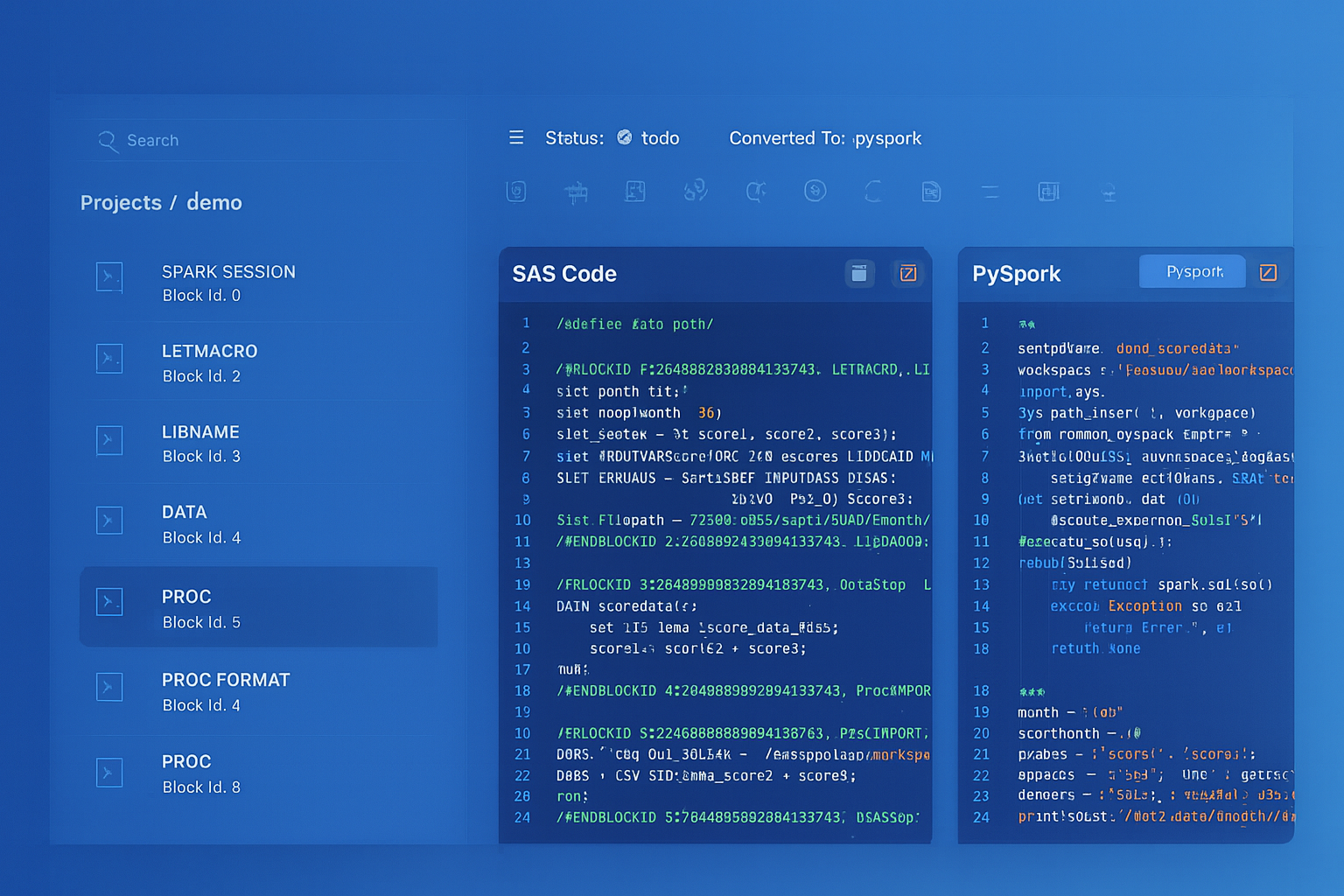
From parsed legacy code to production-ready modern equivalents — MigryX automates the entire conversion pipeline
From Legacy Complexity to Modern Clarity with MigryX
Legacy ETL platforms encode business logic in visual workflows, proprietary XML formats, and platform-specific constructs that are opaque to standard analysis tools. MigryX’s deep parsers crack open these proprietary formats and extract the underlying data transformations, business rules, and data flows. The result is complete transparency into what your legacy code actually does — often revealing undocumented logic that even the original developers had forgotten.
PowerCenter Transformations vs. Modern Equivalents
Understanding how each PowerCenter transformation maps to modern constructs is essential for planning a migration. The following table provides a reference for the most common transformations:
| PowerCenter Transformation | PySpark Equivalent | SQL / dbt Equivalent |
|---|---|---|
| Expression | withColumn(), when(), UDFs |
CASE WHEN, inline expressions |
| Lookup (connected) | join() with broadcast hint |
LEFT JOIN on lookup table |
| Aggregator | groupBy().agg() |
GROUP BY with aggregate functions |
| Joiner | join() with join type param |
JOIN (INNER, LEFT, FULL OUTER) |
| Filter | filter() / where() |
WHERE clause |
| Sorter | orderBy() |
ORDER BY |
Not every transformation maps one-to-one. Unconnected Lookups with multiple return ports, variable ports in Expressions, and Update Strategy transformations with DD_INSERT/DD_UPDATE/DD_DELETE logic require careful semantic analysis to produce correct target code.
A Phased Migration Strategy with Validation Checkpoints
Attempting a big-bang migration of thousands of PowerCenter mappings is a recipe for failure. Instead, a phased approach with built-in validation checkpoints ensures quality and maintains stakeholder confidence:
Phase 1: Discovery & Inventory
Export the PowerCenter repository as XML (using pmrep or Repository Manager) and catalog every mapping, session, workflow, and reusable component. Identify dependencies between mapplets, shared transformations, and parameter files. Produce a complexity score for each mapping based on transformation count, lookup depth, and conditional logic branches.
Phase 2: Automated Conversion
Use automated tooling to parse the PowerCenter XML and generate equivalent code in the target language. Automation handles the bulk of straightforward transformations — Expressions, Filters, Sorters, simple Lookups — while flagging complex patterns (nested mapplets, unconnected Lookups, custom Java transformations) for human review.
Phase 3: Semantic Validation
For each converted mapping, run both the original PowerCenter session and the new pipeline against the same source data. Compare row counts, column checksums, and sample records. This parallel-run validation is the single most important quality gate in the entire migration.
Phase 4: Orchestration Migration
Convert PowerCenter workflows and worklets to Airflow DAGs. Map session dependencies to Airflow task dependencies. Translate workflow variables to Airflow XCom or environment variables. Replicate error handling and notification logic using Airflow callbacks and SLA monitoring.
Phase 5: Production Cutover
Execute a controlled cutover with rollback capability. Run both old and new pipelines in parallel for a defined period, then decommission PowerCenter sessions once data reconciliation confirms equivalence.
How MigryX Handles PowerCenter Migration
MigryX analyzes every PowerCenter transformation and generates equivalent target code, preserving the complete mapping logic.
The result: a fully executable, tested, and documented target codebase — not just a set of templates that require weeks of manual tuning.
Key Takeaways
Migrating from Informatica PowerCenter to cloud-native pipelines is a significant undertaking, but it is also an opportunity to modernize your data architecture, reduce costs, and future-proof your analytics capabilities. The keys to success are:
- Complete inventory: You cannot migrate what you do not understand. A thorough discovery phase is non-negotiable.
- Automation first: Manual rewriting of hundreds of mappings is slow, error-prone, and expensive. Automation should handle 70–90% of the conversion.
- Validation at every stage: Parallel-run testing and data reconciliation are the foundation of stakeholder trust.
- Orchestration matters: Do not neglect the workflow layer. Session dependencies, error handling, and scheduling logic are just as critical as transformation logic.
- Parameterization preservation: Ensure that environment-specific configurations remain externalized in the target platform, not hardcoded during conversion.
The era of on-premises, monolithic ETL is ending. The question is not whether to migrate, but how to do it with confidence, speed, and minimal disruption to the business.
Why MigryX Is the Only Platform That Handles This Migration
The challenges described throughout this article are exactly what MigryX was built to solve. Here is how MigryX transforms this process:
- Deep AST parsing: MigryX’s custom-built parsers achieve 95% accuracy on every supported legacy technology — not through approximation, but through true semantic understanding.
- Merlin AI augmentation: Where deterministic parsing reaches its limit, Merlin AI resolves ambiguities and implicit behaviors, pushing accuracy to 99%.
- Complete coverage: MigryX supports 25+ source technologies including SAS, Informatica, DataStage, SSIS, Alteryx, Talend, ODI, Teradata, and Oracle PL/SQL.
- End-to-end automation: From parsing to conversion to validation — MigryX automates the entire pipeline, not just one step.
MigryX combines precision AST parsing with Merlin AI to deliver 99% accurate, production-ready migration — turning what used to be a multi-year manual effort into a streamlined, validated process. See it in action.
Ready to modernize your legacy code?
See how MigryX automates migration with precision, speed, and trust.
Schedule a Demo